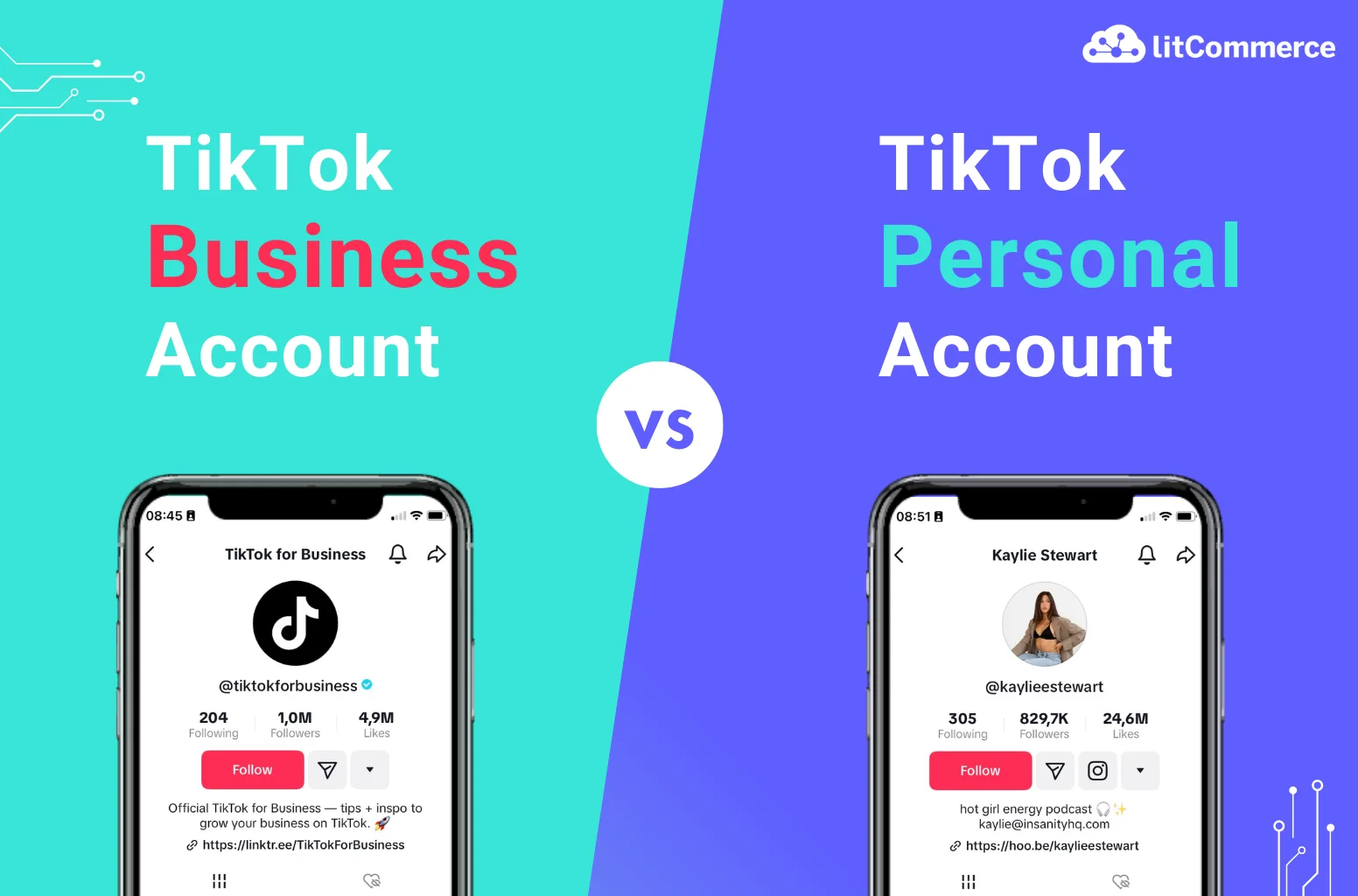
Most new nail founders make the same mistake: they start posting on a personal account and wonder why their content doesn't grow. A TikTok Business Account unlocks tools that personal accounts simply don't have. For a product-based brand, these tools matter a lot.
TikTok Business Accounts are completely free. You can switch from a personal account at any time without losing your content or followers, but do it before you start growing so your analytics are clean from day one.
-
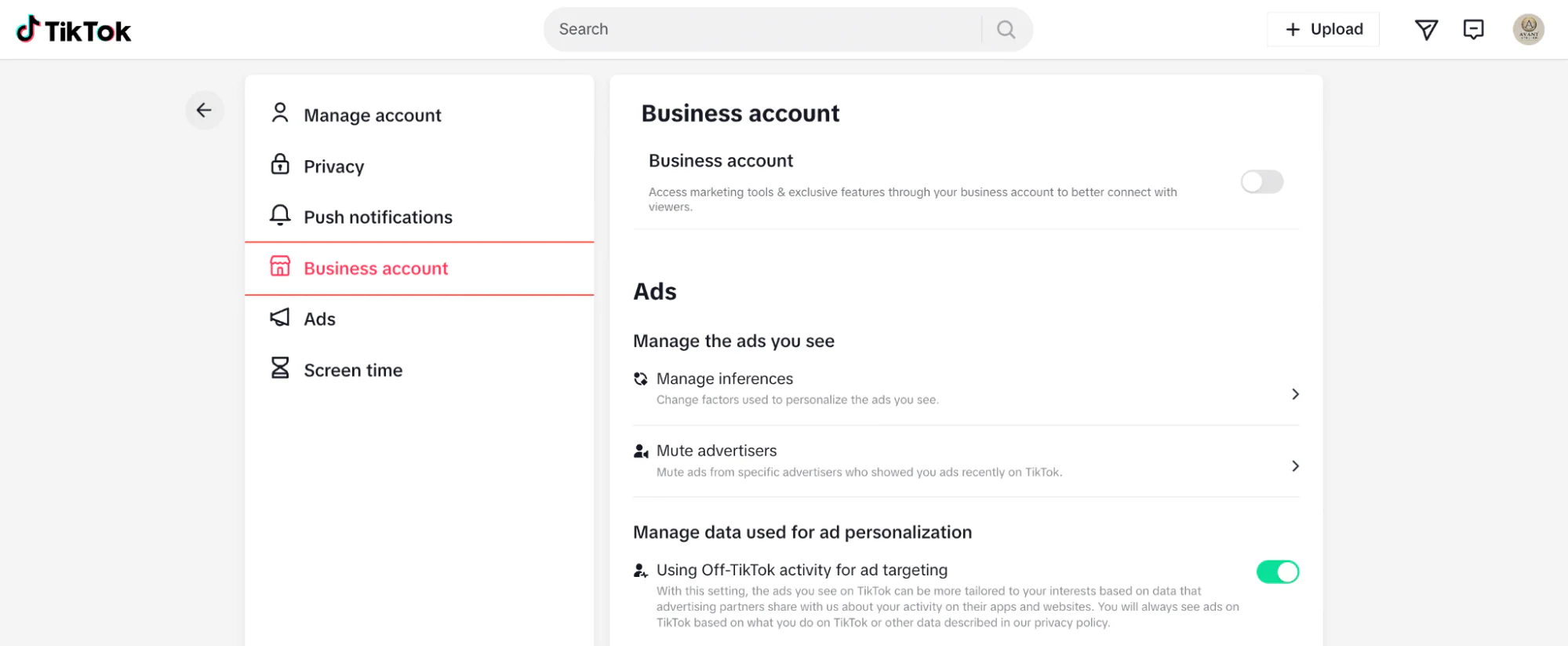
1Access the "Business Account" toggle in your TikTok settingsGo to your TikTok settings in a browser, find the "Business account" tab, and toggle the "Business account" button to On.
-
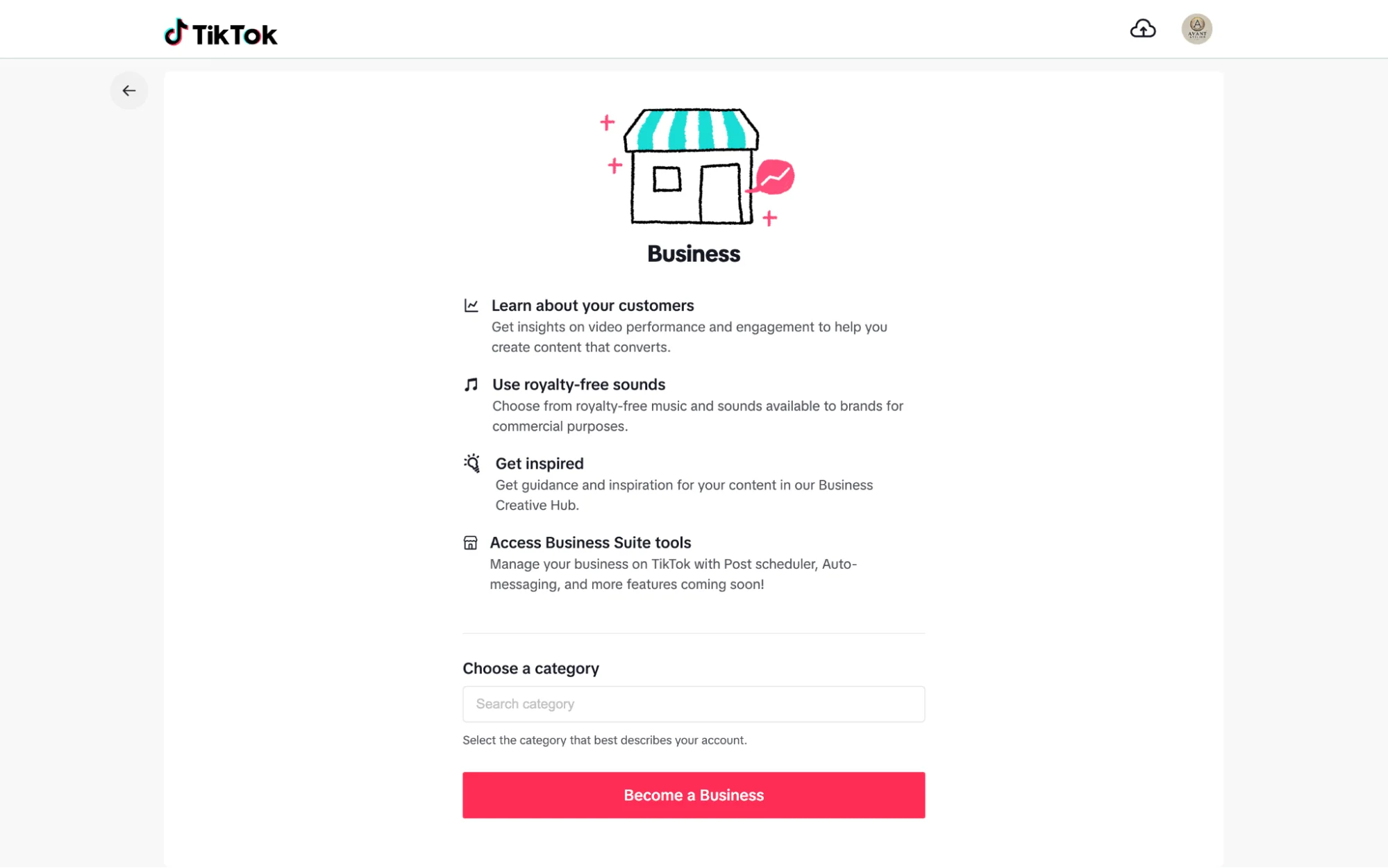
2Choose a category and click "Become a Business"Select the category that best fits your brand. For nail businesses, choose "Beauty" or "Beauty & Personal Care." This unlocks marketing tools and exclusive business features.
-
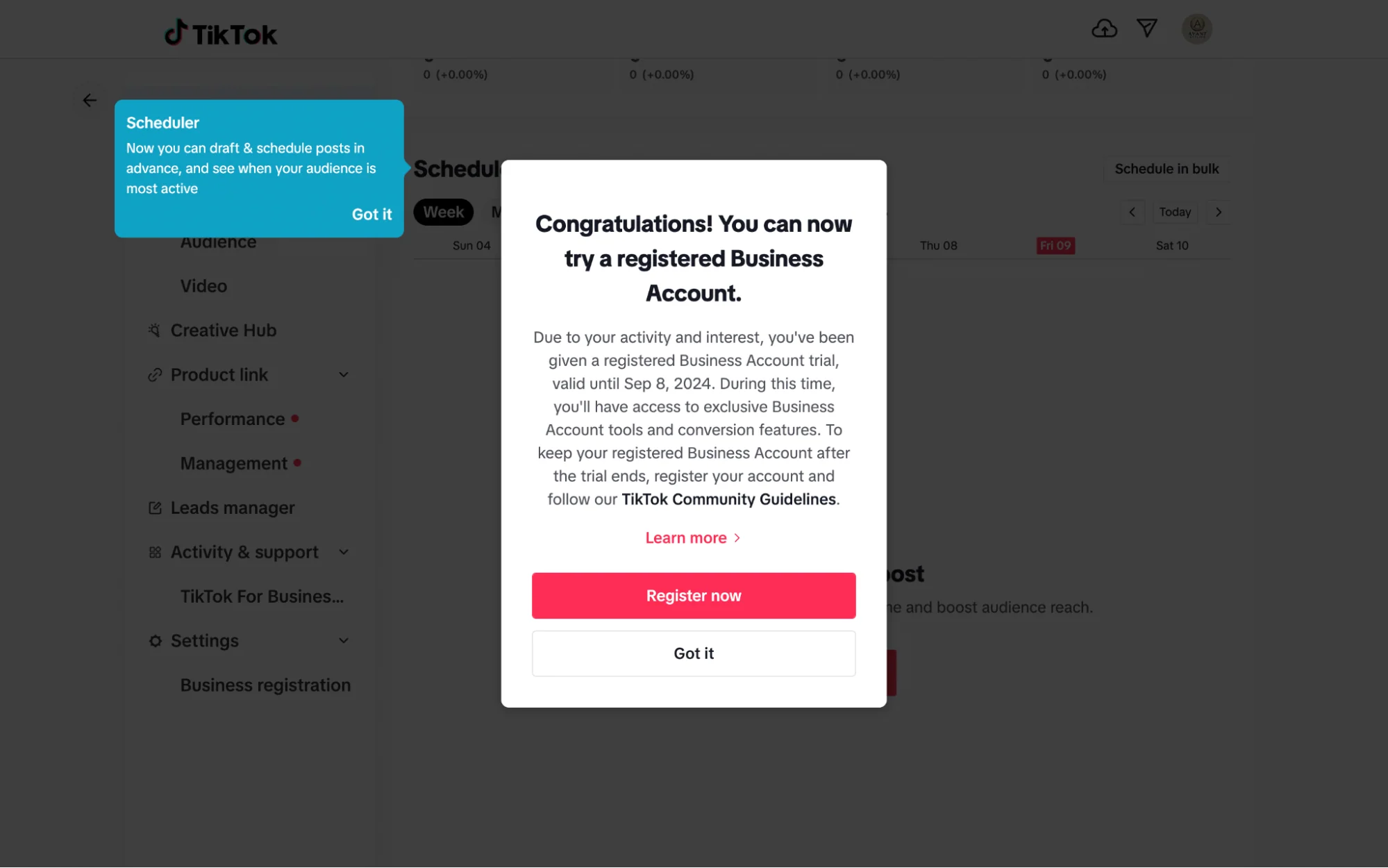
3Start your 30-day business account trialYou can begin with a free 30-day trial to access business tools, or register your business immediately if you're ready to commit.
-
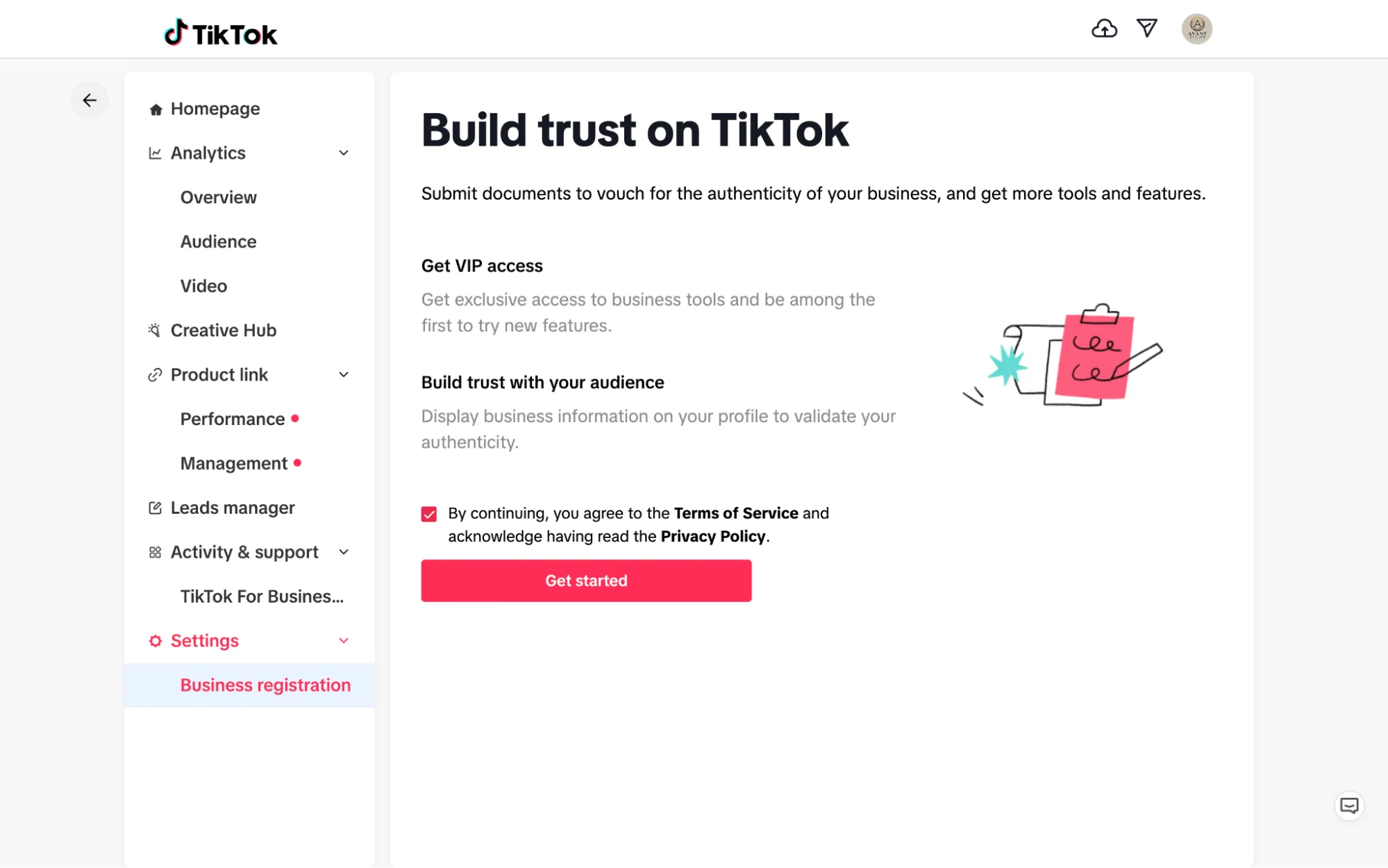
4Agree to the Terms of Service and click "Get Started"If you choose to register your business right away, accept the Terms of Service and Privacy Policy, then click "Get Started" to proceed.
-
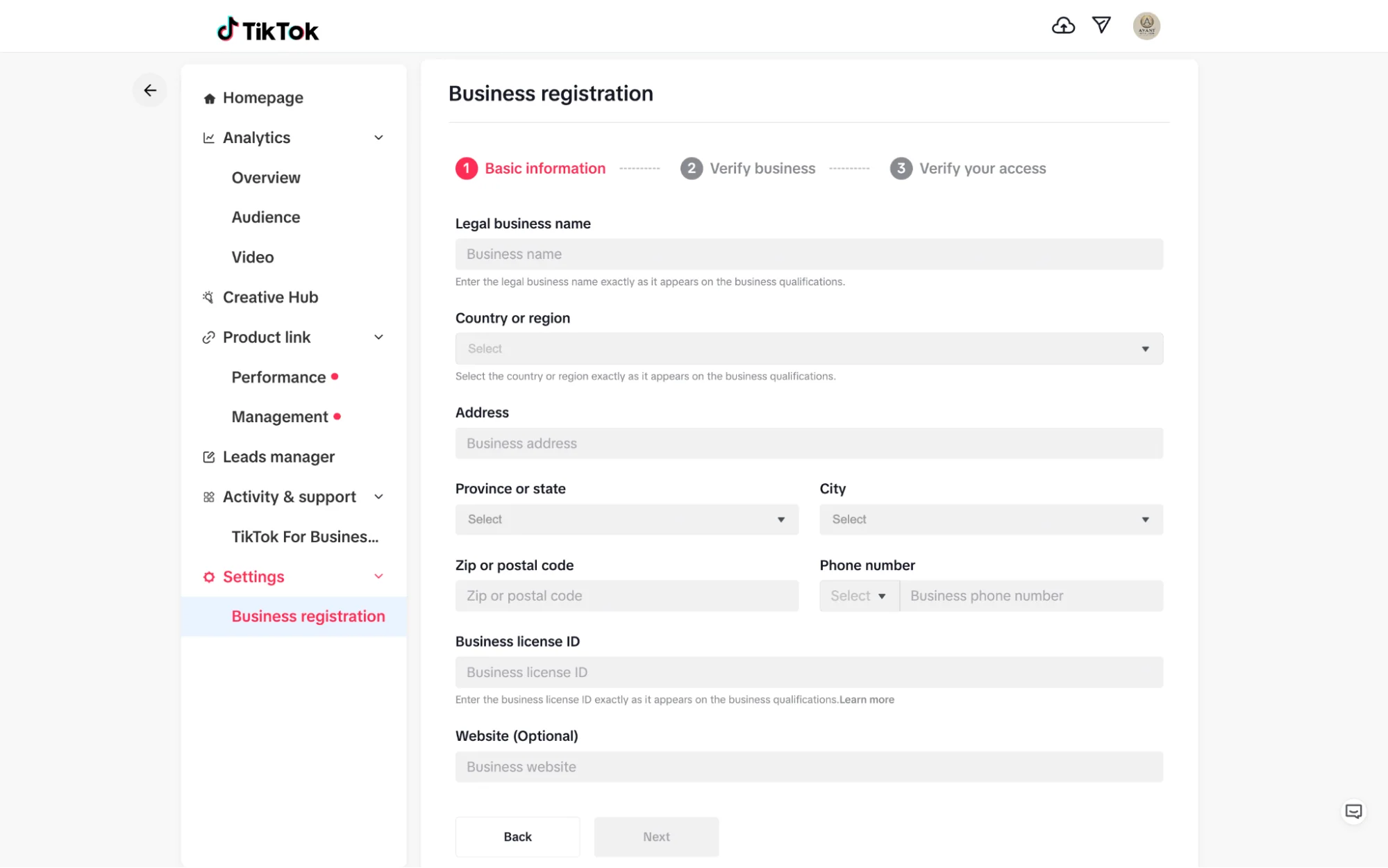
5Enter your basic business informationProvide your legal business name, address, and business license ID. This information is used to verify your brand and unlock additional tools.
-
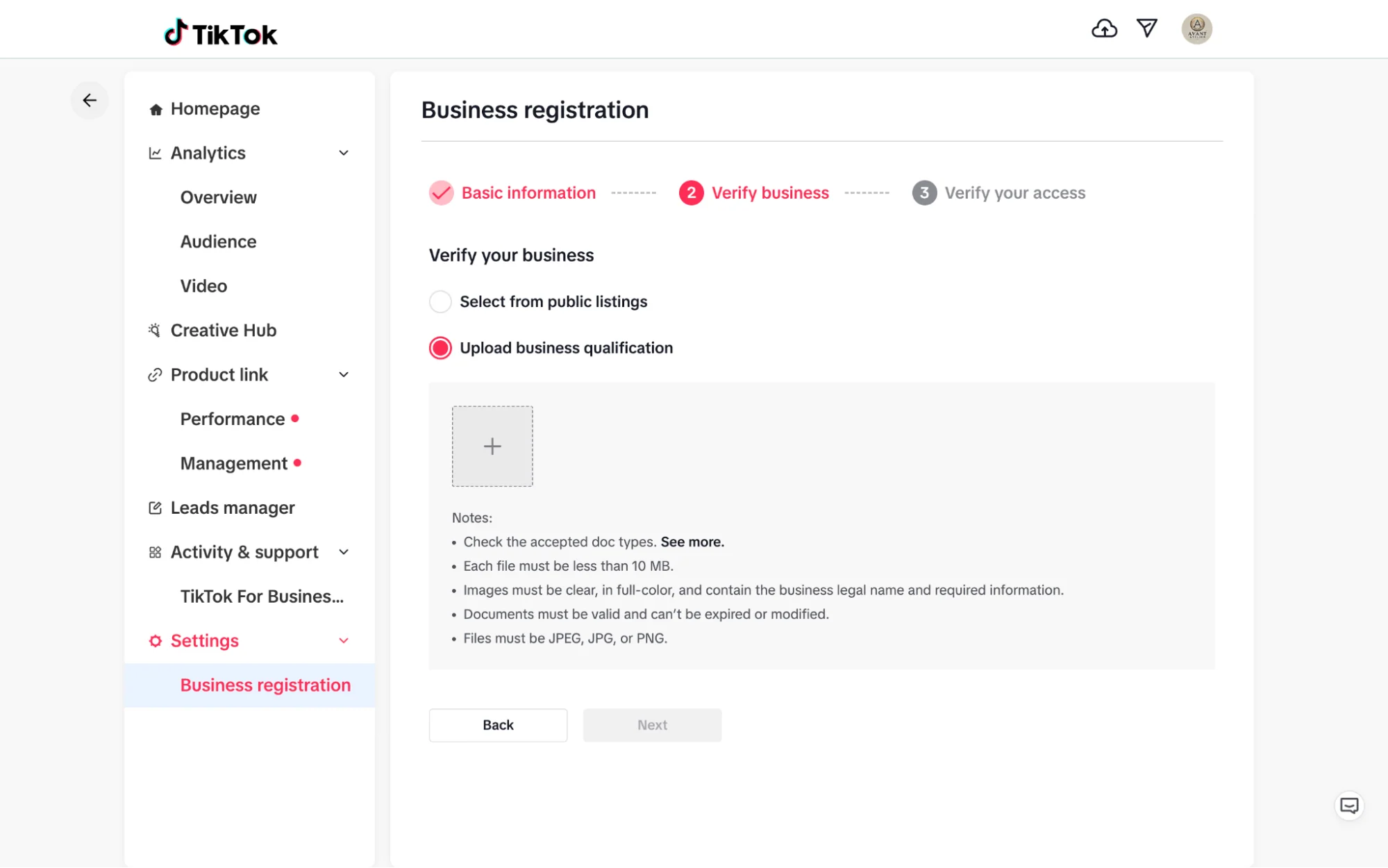
6Verify your business qualificationsEither select your business from public listings or upload your business qualifications manually to complete verification.
-
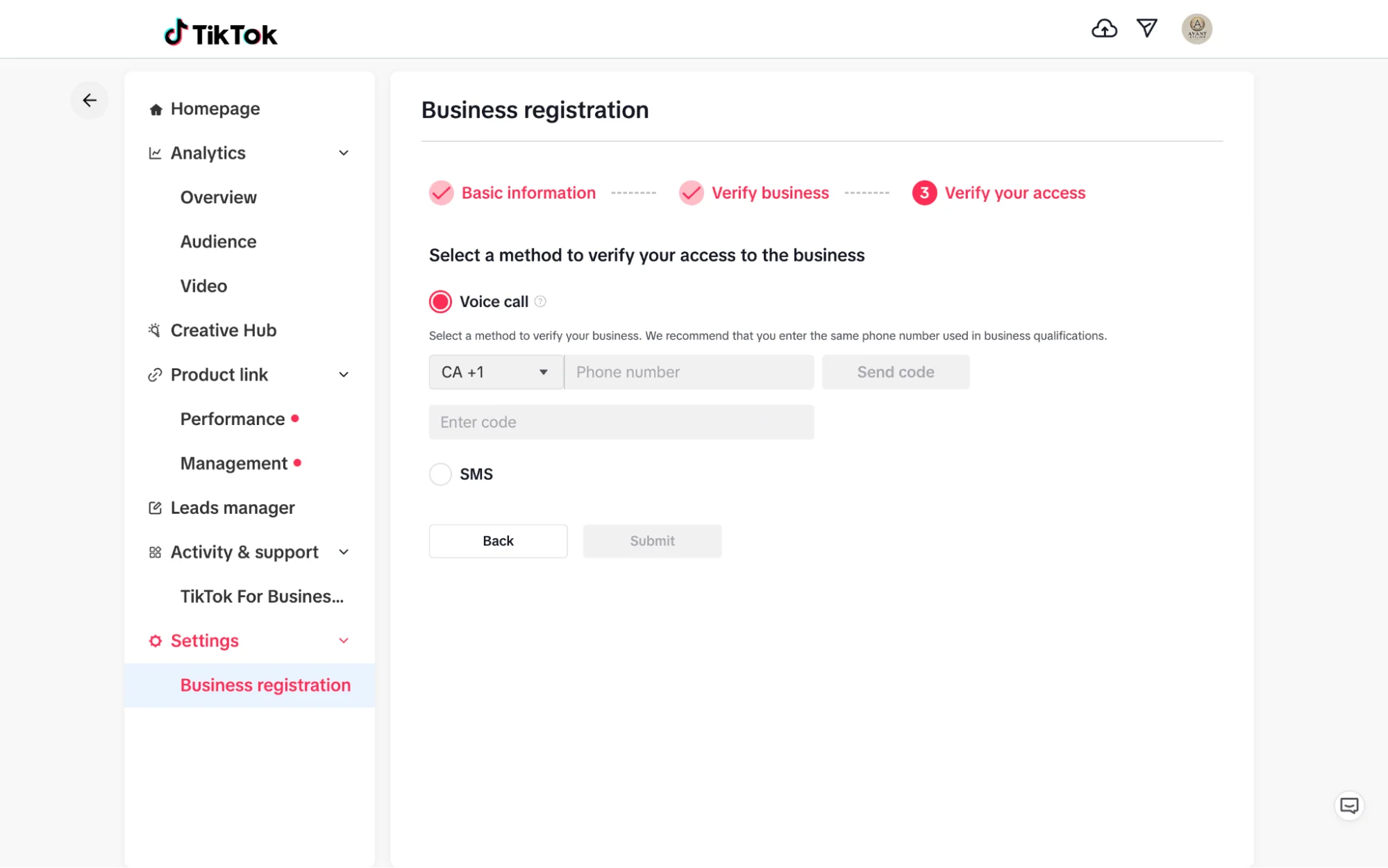
7Confirm access via voice call or SMSChoose your preferred verification method. Once confirmed, you'll have full access to TikTok's advanced marketing tools, audience insights, and brand features.
-
Toggle Business Account ON in TikTok settingsSettings → Business Account tab → toggle On
-
Select your business categoryChoose "Beauty" or "Beauty & Personal Care" for nail brands
-
Enter business information and upload qualificationsLegal name, address, business license ID, and verification documents
-
Complete verification via voice call or SMSConfirm access to unlock the full business account
Your TikTok profile is your brand's first impression. You have about 2 seconds before someone decides whether to follow you. Every element (your photo, name, username, and bio) needs to communicate exactly who you are and what you sell.
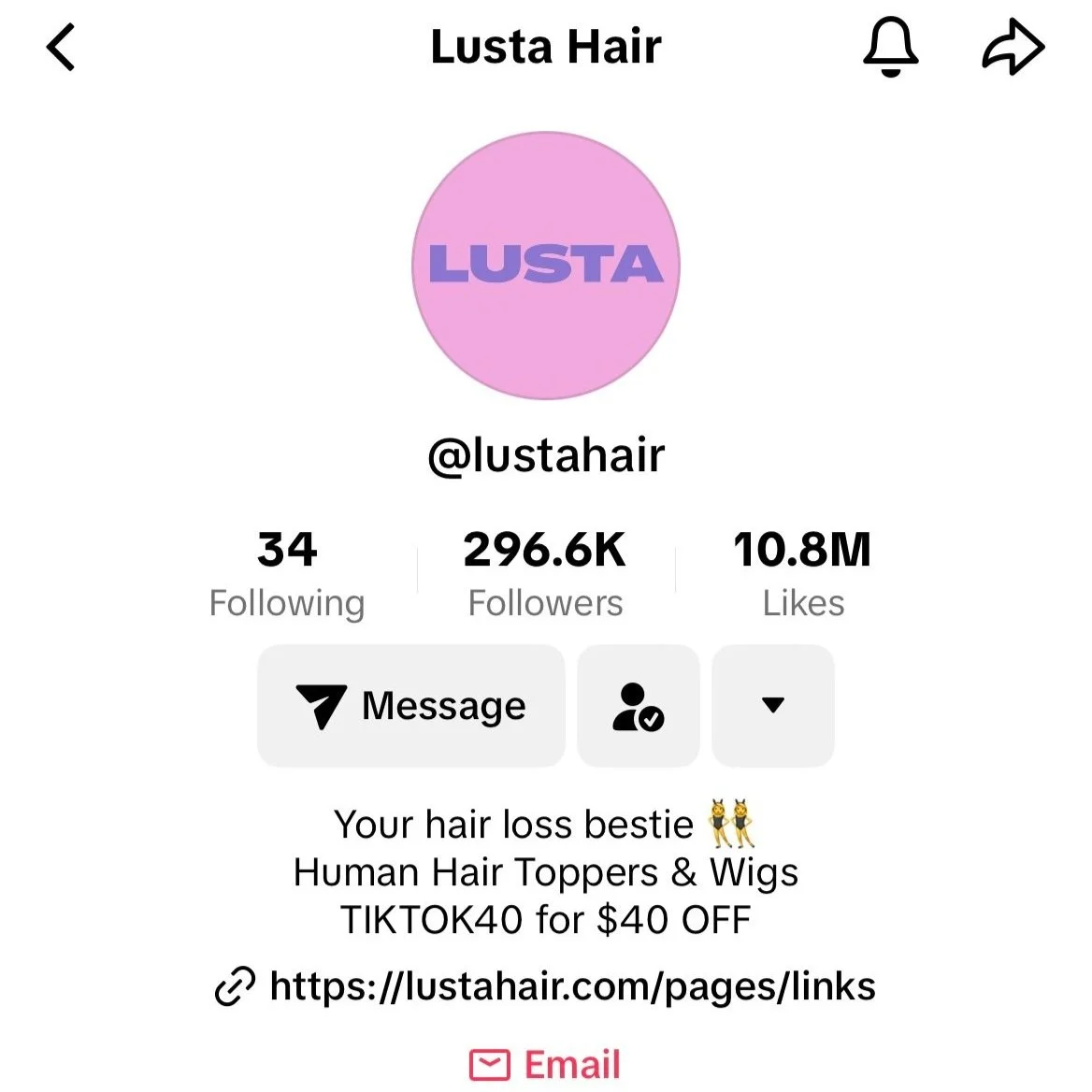
Your bio has a strict 80-character limit. That's not a lot, so be ruthless. Lead with what you sell, who it's for, and a small trust signal or hook. Avoid vague language like "nail lover 💅". That's not a brand, that's a hobbyist.
Example: "Custom press-on sets 💅 Ships in 3 days · 2,000+ happy customers"
-
Set a keyword-rich usernameInclude your brand name + "nails" or "pressons", e.g., @brand_nails or @brandpressonco
-
Upload a professional profile photoUse a product flat-lay, branded logo, or clean close-up. Not a blurry selfie.
-
Write a converting bio (max 80 characters)What you sell · who it's for · trust signal or differentiator
-
Add your website or link in bio toolLink to your shop, Linktree, or a dedicated landing page
Most founders skip this step and it costs them. TikTok's default settings are not optimized for business growth. They're optimized for casual users. A few quick changes can meaningfully improve how the algorithm discovers and distributes your content.
-
1Set your account to PublicThis sounds obvious, but many accounts are accidentally set to private. Check: Settings → Privacy → Private Account → OFF.
-
2Enable "Allow your videos to be recommended"Settings → Privacy → Suggest your account to others → ON. This feeds your profile into TikTok's recommendation engine.
-
3Turn on Comment FiltersSet up keyword filters for spam comments. This keeps your comment section clean and professional, which matters for conversions.
-
4Enable Creator Marketplace (if eligible)Even if you're not using it yet, turning this on signals to TikTok that you're a business creator. Found under: Settings → Creator tools → TikTok Creator Marketplace.
-
Confirm account is set to PublicSettings → Privacy → Private Account → OFF
-
Enable recommendation settingsAllow your videos and profile to be suggested to others
-
Set up comment filters and keyword blocksBlock spam, scam offers, and irrelevant keywords from comments
Key Takeaways
- Switch to a TikTok Business Account before posting. It unlocks analytics, Shop access, and the link in bio feature from day one.
- Use a keyword-rich username that includes your brand name + "nails" or "pressons" so you're discoverable in TikTok search.
- Your 80-character bio should sell: what you make, who it's for, and one trust signal. No vague "nail lover" language.
- Your account settings need to be manually optimized. TikTok defaults are for casual users, not brands.
- A clean, professional profile converts visitors into followers before they ever watch a video.